You buy a big, beautiful TV, press play on a widescreen film, and watch black bars swallow a quarter of the screen. Then you switch to a ballgame, and the picture fills the frame again. The screen did not change. Only the shape of the content did.
That mismatch is the reason the multi-format display exists. A multi-format display is built to show each piece of content in its own shape, instead of forcing everything into one fixed rectangle. This guide explains what it is, how it works, which formats matter at home, and what to look for before you buy.
Quick Answer
A multi-format display shows any aspect ratio at full quality, instead of forcing every film, game, and live event into a fixed 16:9 rectangle. It removes black bars, supports shapes from 1.43:1 to 32:9, and can show several sources at once. SERA is IYO LED’s multi-format MicroLED system.
A multi-format display is a screen designed around many aspect ratios, not one. Aspect ratio is the proportion of width to height. A traditional TV is locked at 16:9. A multi-format display adapts its layout to the content, so a widescreen film, a classic movie, and a sports feed can each look right on the same wall.
Two things make this possible. First, the wall is modular, built from LED modules into a shape that suits your room. Second, a video processor handles scaling and aspect-ratio management, so each source lands on the screen in the correct proportion.
The idea behind it is simple: the world was never 16:9. Films, games, cameras, and sports all use different shapes. A display should follow the content, not the other way around.
A 16:9 screen is a great all-rounder, but it is a compromise. Any content that is not 16:9 either shows black bars or gets cropped. Here is how much of a 16:9 screen each common format actually uses:
| Content shape | Aspect ratio | Screen used on a 16:9 TV | Wasted as black bars |
| Classic TV and film | 4:3 | 75.0% | 25.0% |
| IMAX-style tall format | 1.43:1 | 80.4% | 19.6% |
| Flat cinema | 1.85:1 | 96.1% | 3.9% |
| Digital IMAX-style | 1.90:1 | 93.6% | 6.4% |
| CinemaScope | 2.35:1 | 75.7% | 24.3% |
| Modern widescreen cinema | 2.39:1 | 74.4% | 25.6% |
| Ultra-wide 21:9 | 21:9 (2.33:1) | 76.2% | 23.8% |
| Two 16:9 sources side by side | 32:9 | 50.0% | 50.0% |
Calculated geometry. Figures show how much of a 16:9 screen the image fills when the full image is shown without cropping.
A widescreen film at 2.39:1 uses about 74% of a 16:9 screen. One quarter of the screen you paid for sits dark. On a 100-inch TV, that is a lot of wasted picture. On a multi-format wall, the screen takes the shape of the film, so the image uses the whole display.
For a deeper look at this trade-off, read our guide to 16:9 vs 2.35:1 and our post on size and aspect ratio.
You will meet several shapes at home. Here are the ones worth planning for:
| Aspect ratio | Where you meet it | Why it matters |
| 16:9 | Streaming, TV, most video | The everyday standard |
| 21:9 / 2.35:1 / 2.39:1 | Widescreen films | Fills the wall with no black bars |
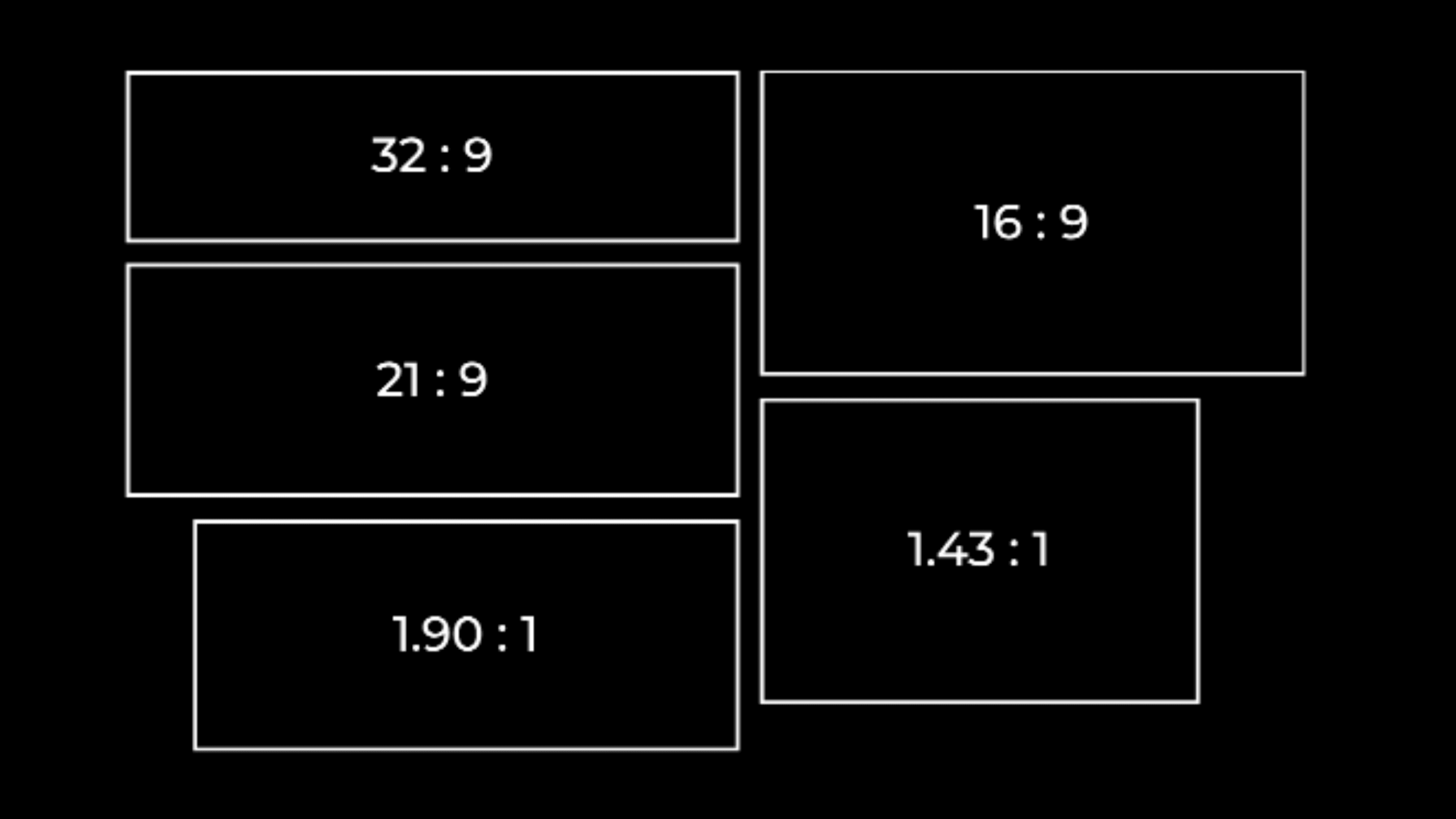
| 1.90:1 and 1.43:1 | Some IMAX-style presentations | Taller images for immersive scenes |
| 32:9 | Ultra-wide gaming, two sources side by side | Multi-view and panoramic content |
Most homes watch a mix. If you only ever watch 16:9 streaming, a standard display is fine. If movies, sports, and gaming all matter, a multi-format display pays off.
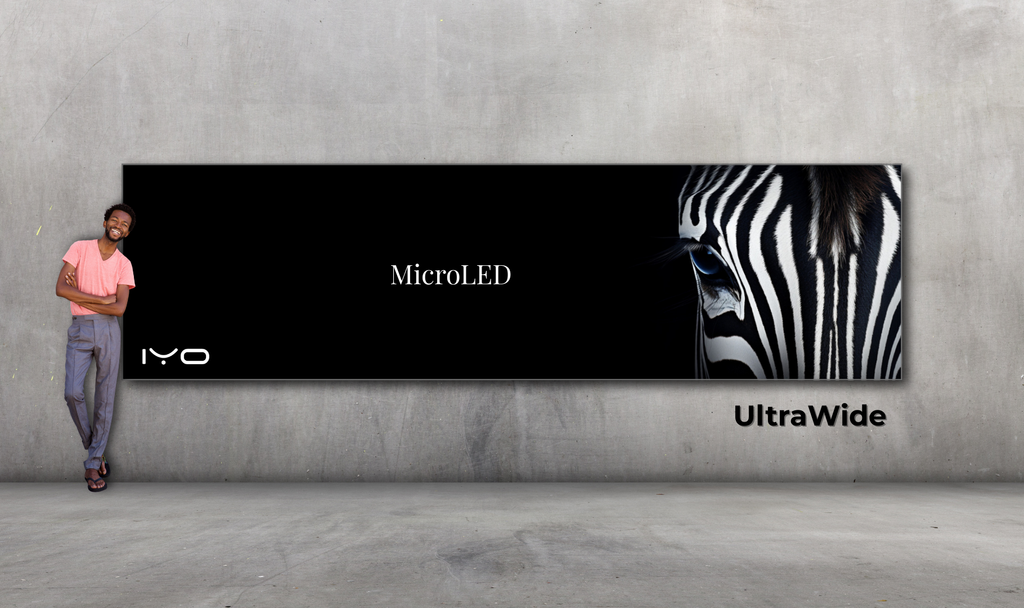
Three pieces work together: the modular wall, the processor, and the layout.
A MicroLED wall is built from modules, so you choose its width and height to fit your room. That freedom is what lets a wall be wider than a TV or match an architectural opening. Our pixel pitch guide explains how module density shapes size and sharpness.
The video processor scales each source, manages the aspect ratio, and controls the layout. It decides where the image sits, how large it is, and what fills the rest of the wall. Better processing makes switching between formats smooth and automatic.
A 32:9 canvas equals two 16:9 images side by side. That makes it easy to watch two games at once, pair a game with a stats feed, or keep a movie beside a video call. A display built for one rectangle cannot do this cleanly.
Here is how people use one:
This flexibility is why a multi-format display suits homes that use one wall for everything.
The SERA MicroLED system is IYO LED’s multi-format platform. It is built around multi-format and multi-source viewing instead of treating the wall as a fixed 16:9 television. SERA can be configured for these formats:
| Format | Typical use |
| 16:9 | Streaming, TV, everyday viewing |
| 21:9 | Widescreen films |
| 1.90:1 | IMAX-style digital presentations |
| 1.43:1 | Tall IMAX-style presentations |
| 32:9 | Ultra-wide gaming and multi-view |
SERA uses COB MicroLED technology with HDR processing and modular installation, so it is a structured system, not a blank sheet of paper. Our guide to what COB technology is explains why COB matters for durability and image quality.
Budget planning for SERA typically runs about $20,000 to $60,000+, depending on size, pitch, installation, and integration. Our guide to MicroLED video wall cost breaks down what goes into the total.
If your project needs fully custom dimensions or 4K, 6K, and 8K resolution, look at Alinor, IYO LED’s fully custom MicroLED wall.
A TV is the simplest and cheapest option, but it is locked to 16:9. A projector can create a wide image for less money, but it struggles in bright rooms. A multi-format MicroLED wall gives you custom shapes, daylight brightness, and a permanent build, at a higher price. Our comparison of MicroLED vs OLED vs projector covers the trade-offs in detail.
Follow these steps:
The CEDIA association is a useful resource for finding residential integrators who can design the room around the display. New to LED walls? Start with our complete guide to LED walls.
A multi-format display is a screen built to show many aspect ratios at full quality, instead of one fixed shape. It adapts its layout to the content, so widescreen films, classic video, ultra-wide games, and multi-view feeds each look right.
A TV is 16:9, and many films are wider. A 2.39:1 film uses about 74% of a 16:9 screen, so the rest shows as black bars above and below. A multi-format display matches the screen shape to the film.
SERA can be configured for 16:9, 21:9, 1.90:1, 1.43:1, and 32:9. That covers streaming, widescreen films, IMAX-style presentations, and ultra-wide or multi-view content.
It is worth it if you watch a mix of widescreen films, sports, and games, and want one wall to handle all of them. If you only watch 16:9 streaming, a standard TV is cheaper and simpler.
Yes. A 32:9 layout equals two 16:9 images side by side, so you can watch two games, or a game and a stats feed, together. The video processor manages the layout.
A multi-format display ends the compromise of a fixed rectangle. Widescreen films fill the wall. Sports use multi-view. Games stretch to ultra-wide. One screen adapts to everything you watch.
If that sounds like your home, explore SERA, then contact IYO LED for a custom MicroLED quote. Send your wall dimensions and the formats you love, and we will help you design it.